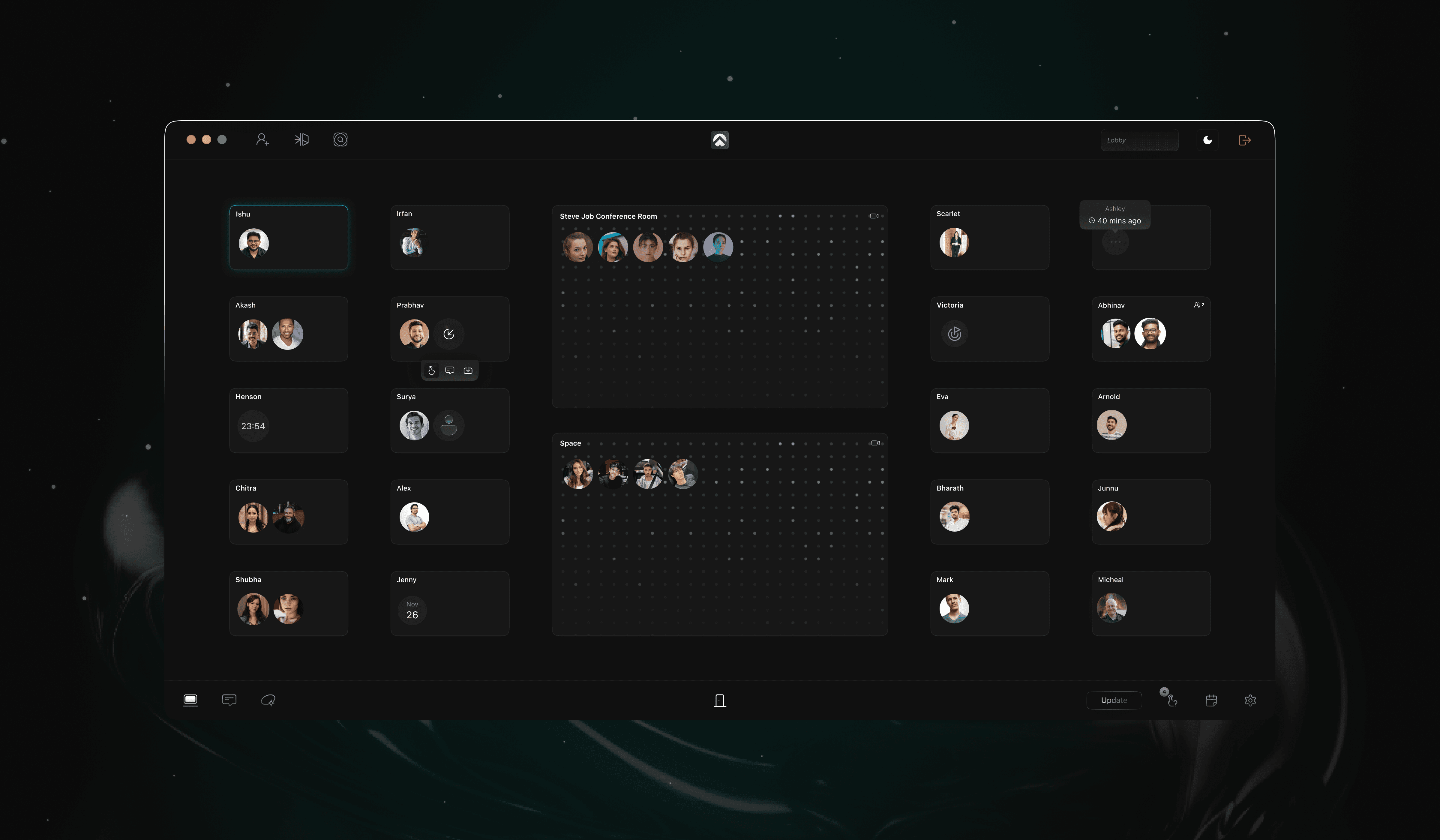
What is an AI Virtual Office?
An AI virtual office is a cloud-based platform that replicates physical office dynamics using real-time presence technology, integrated video, and autonomous AI agents. Unlike standard video conferencing or messaging tools, an AI virtual office is always-on: team members drop in and out of a shared digital space, and the AI layer handles coordination — meeting transcription, task creation, follow-up, and execution — without human prompting.In a workplace context, agentic execution means the AI doesn't wait to be asked. It perceives the current state of work, identifies what needs to happen next, and acts — creating tasks, following up with team members, updating stakeholders, and escalating blockers.
This marks a generational shift from reactive collaboration tools (tools that do what users tell them) to proactive ones (tools that take initiative on behalf of the team). The shift is driven by agentic AI — systems that can perceive context, reason, plan, and act with minimal human input. (IBM, Google Cloud)
How Does an AI Virtual Office Work?
Most AI virtual offices operate on a four-step model:
Drop In Instantly
Team members join a shared persistent space — no scheduling, no invite links. Presence is visible in real time, mirroring the ambient awareness of a physical office.
Every Call Gets Transcribed
The AI captures every conversation automatically. Team members stay focused on the discussion; the AI handles the notes.
Conversations Turn Into Tasks
The AI identifies decisions, commitments, and action items from calls and converts them into structured, assigned tasks — without anyone manually logging them.
The AI Agent Executes
An AI agent follows up on tasks, gathers status updates, reports progress to leaders, and escalates blockers — without a manager having to ask. This is agentic execution: the AI doesn't just suggest next steps; it carries them out.
Key Features of an AI Virtual Office
Feature | AI Assistance |
|---|---|
Persistent Team Space | Always-on shared environment; no meeting links needed |
Integrated Video Conferencing | Built-in calls; no third-party app required |
Real-Time Transcription | Every call captured, searchable, and shareable |
On-Call AI Assistant | Live AI support during calls for tough questions |
Agentic Task Execution | AI autonomously creates, assigns, and follows up on tasks |
AI Calendar | Intelligent scheduling that integrates with team workflow |
Team Intelligence Layer | Shared knowledge base everyone can query in natural language |
AI Virtual Office vs. Traditional Collaboration Tools
The standard remote work stack looks like this: Slack for messaging, Zoom for calls, Notion for documentation, Calendly for scheduling, plus a project management tool for tasks. The average team pays for and maintains five or more separate tools — and critical context lives scattered across all of them.
An AI virtual office collapses this into one platform, with an autonomous AI layer that acts on what it learns from team conversations.
Capability | Slack + Zoom + Notion | AI Virtual Office |
|---|---|---|
Persistent team presence | No | Yes |
Built-in video calls | No | Yes |
Auto-transcription | No | Yes |
Tasks auto-created from meetings | No | Yes |
Autonomous follow-up agent | No | Yes |
Shared team memory (queryable) | Partial | Yes |
Tools required | 4–6 | Yes |
Time lost to update meetings | High | Low |
Benefits for Remote Teams
Leaders See Real Progress — Without Micromanaging
The AI gathers status updates from teammates automatically, compiles them, and reports back. Managers see actual movement on work, not just chat activity.
Fewer Update Meetings
When AI handles follow-up and task creation, stand-ups and check-ins become shorter or redundant. Teams that switch from traditional tools to AI virtual offices consistently report cutting weekly meeting time by a third or more.
Work Stops Falling Through the Cracks
Every decision in a call becomes a tracked task. Every task has an assigned owner. The AI follows up when progress stalls — proactively.
Presence Returns for Distributed Teams
Shared presence in a digital space creates the ambient awareness that distributed teams miss from physical offices. Teams feel next to each other even across time zones — a critical driver of team culture and morale. (Kumospace on remote presence)
Tool Costs Drop
Replacing five tools with one consolidated platform typically cuts software spend by 40–60% for small and mid-size teams. One Velozity user, Arsene Keya, noted: "It replaces a whole suite of tools — Slack, Zoom, Notion, Calendly, and even physical office setups."
How to Choose the Right AI Virtual Office Platform
Not every "AI virtual office" delivers equal value. When evaluating platforms, prioritize these five criteria:Drop in — Team members join a persistent shared space with no scheduling friction
True agentic execution
The AI should take action, not just summarize. If it only generates meeting notes, it's a transcription tool — not an AI office.
Persistent presence
Can your team be "in the office" without scheduling a call? A real virtual office is always on, not launched per meeting.
Integrated task management
Tasks should flow directly from conversations, not require manual entry in a separate tool.
On-call AI assistance
Live AI support during calls — not just post-call summaries — separates advanced platforms from basic ones.
Team intelligence layer
Can anyone on the team query past decisions, shared context, and project status in natural language?

Velozity is built around all five. It's the only platform that combines persistent team presence, integrated video, real-time transcription, agentic task execution, and a shared intelligence layer in a single workspace. Teams can start for free or book a live demo to see the AI agent in action.
Frequently Asked Questions
What is the difference between a virtual office and an AI virtual office?
A traditional virtual office provides a digital meeting space — typically video calls and messaging. An AI virtual office adds an autonomous AI layer that actively manages coordination: transcribing calls, creating tasks, following up on work, and maintaining shared team intelligence without human prompting.
Can an AI virtual office replace Slack and Zoom?
Yes. AI virtual office platforms like Velozity are purpose-built to replace separate messaging, video, task management, and scheduling tools. Users consistently report eliminating their need for Slack, Zoom, Notion, and Calendly after switching.
Who benefits most from an AI virtual office?
Startup founders and remote teams of 5–50 people see the most immediate impact. The time savings on coordination and update meetings are most visible at this scale, where individual productivity has outsized impact on overall output.
How does the AI in an AI virtual office actually work?
The AI uses large language models to process conversation transcripts, identify decisions and commitments, generate structured tasks, and autonomously follow up with team members. More advanced platforms use agentic AI — models capable of multi-step, independent action. (MIT Sloan, McKinsey)
What is agentic execution in a virtual office?
Agentic execution is when the AI doesn't just capture what was discussed — it takes action. It creates tasks, assigns them to the right people, checks for progress updates, and reports results. It's the difference between an AI that writes notes and an AI that makes work happen.
Is an AI virtual office secure?
Enterprise-grade AI virtual offices use encryption for calls and stored data. Always review the vendor's privacy policy and data handling practices before committing — particularly around how call transcripts are stored and who can access team intelligence data.
How long does it take to set up an AI virtual office?
Most platforms, including Velozity, are set up in under 10 minutes. The typical onboarding flow is: create a team space, invite teammates, and drop in. No lengthy configuration or IT involvement required.
